Eco
Click, tap, or play to make rhythms. Use the arrows next to the mode name, or press 1–5.
How Eco works
Playing
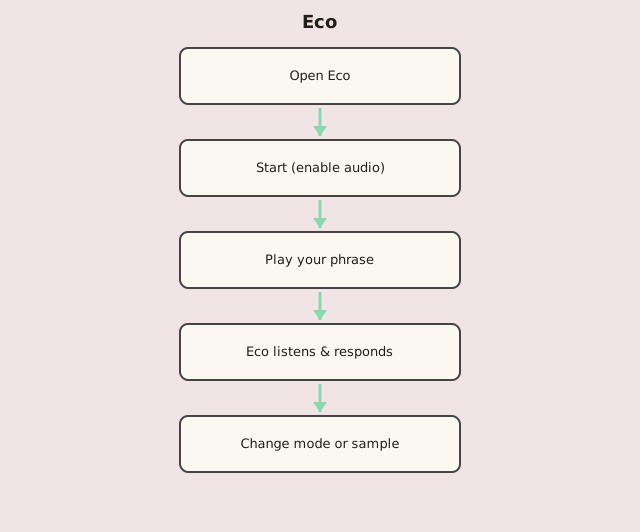
Click or tap inside the canvas to play notes. Horizontal position sets pitch (left is lower, right is higher). Hold the first click, then add more notes and release to finish your phrase. Eco listens to your timing and pitch, then answers back.
You can also play with a MIDI keyboard. The canvas width maps to the MIDI note range you choose (default 0–127). Notes outside that range are ignored. Hold the first key, then play more keys — or release and continue — to build a phrase.
When Eco responds
After your last note, Eco waits about 2 seconds before answering. That pause then adapts to your playing: it follows the average spacing between your notes, staying roughly between 1 and 2 seconds so the reply feels tied to your tempo.
Loading samples
Use the upload icon or drag-and-drop to replace the built-in tone. Only .wav or .mp3 files are accepted, with a maximum duration of 7 seconds.
Modes
Change mode with the left / right arrows in the top bar, the keyboard arrows, or keys 1–5.
- 1 — Mozart Reverses your rhythm. Response notes appear in the upper register.
- 2 — Partch Shuffles your rhythm. Pitch glides smoothly across the canvas.
- 3 — Nunes Plays your rhythm back at double speed.
- 4 — Feldman Plays your rhythm back at half speed.
- 5 — Schoenberg Reverses the pitch sequence. Response mirrors where you played.
Workflow